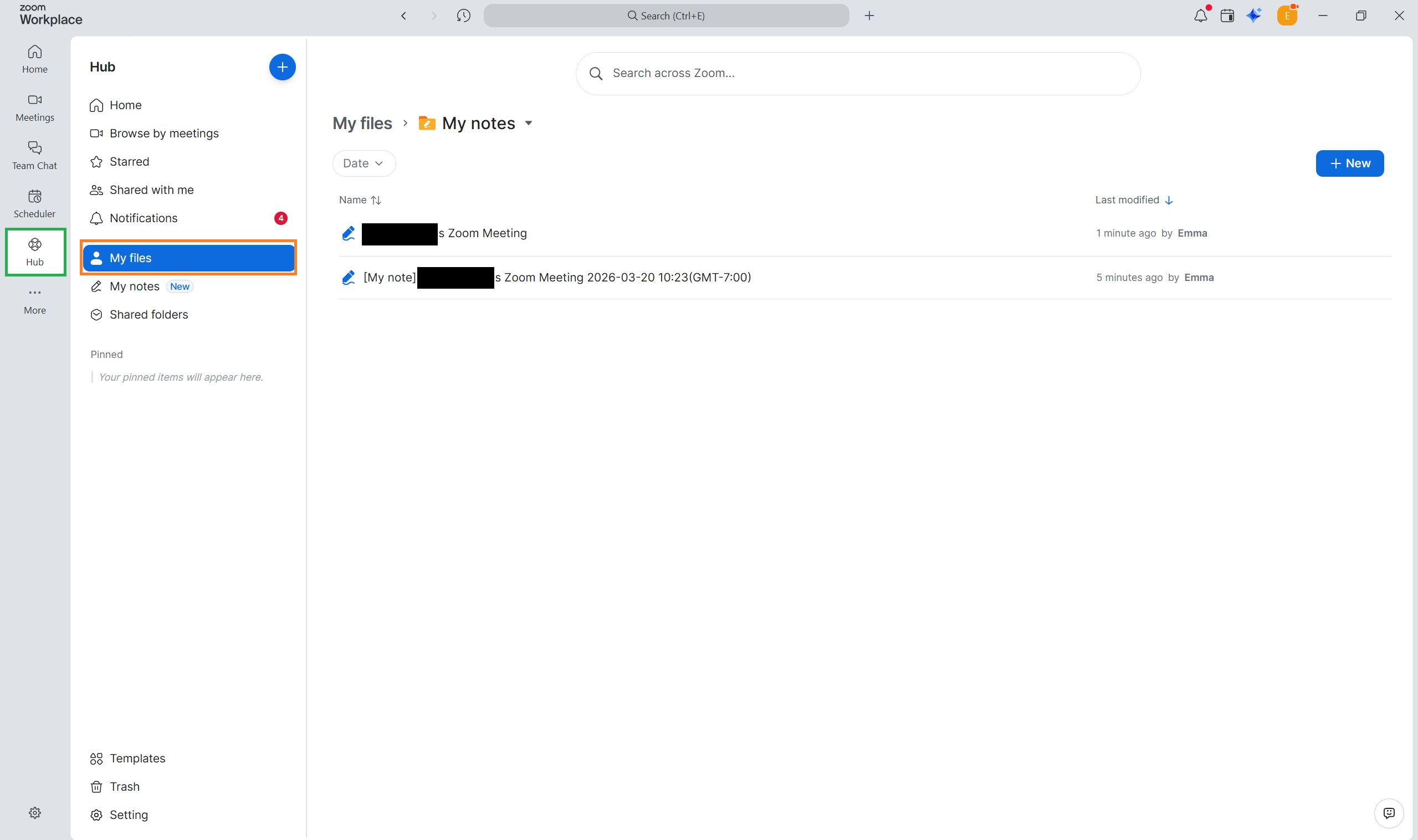
My Notes allows you to take notes during a Zoom meeting and enhance them with a transcript. The notes you make are yours and are not automatically shared with the other meeting participants or host.
Click the My notes icon to open the note taking menu. A pop-up notice will appear on all participants’ screens to inform them that the meeting is being transcribed. Click the blue OK to remove the message.
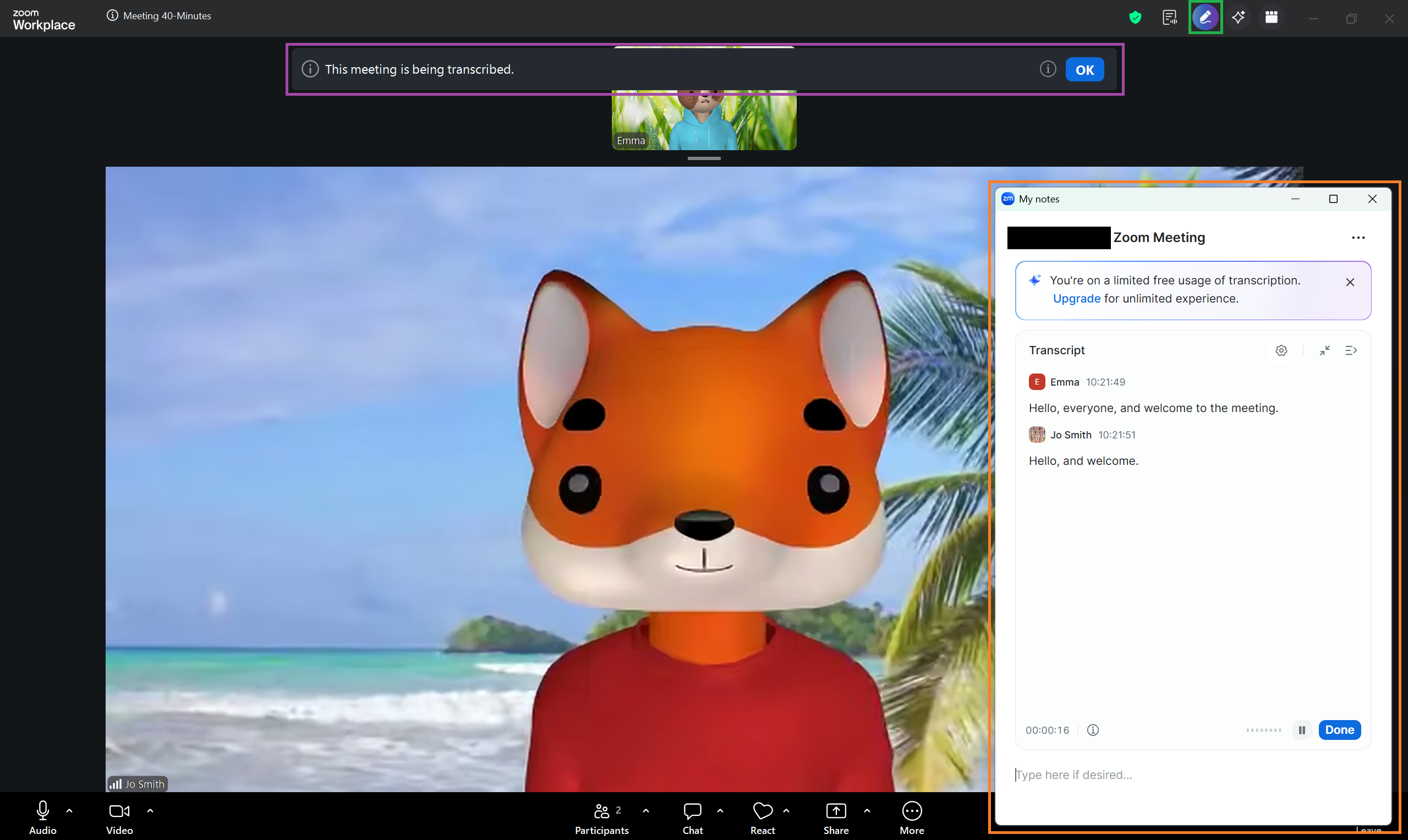
You will see the meeting transcription in the My notes menu. Your own notes can be added by typing in the text box at the bottom of the menu.
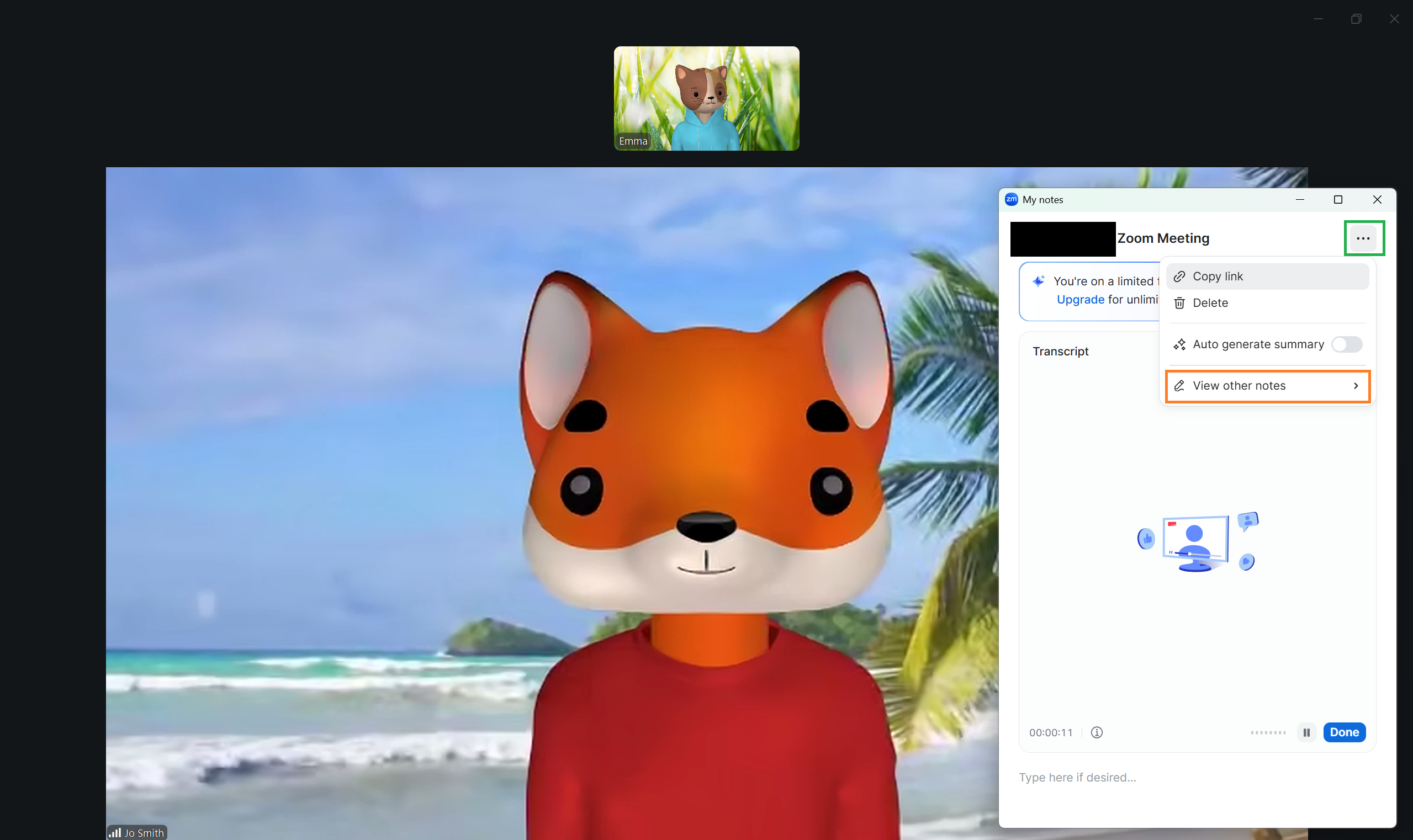
During a meeting, your notes can be accessed by clicking the three dots in the My notes menu and then selecting View other notes.
Outside of a meeting, you can access your notes by logging on to the Zoom app and navigating to the Hub tab. Click My Files to find your notes.